Mailchimp Integration
See how email campaigns perform alongside social, media, and market activity. The Mailchimp integration pulls in campaign metrics automatically once connected during onboarding.
Settings → Integrations
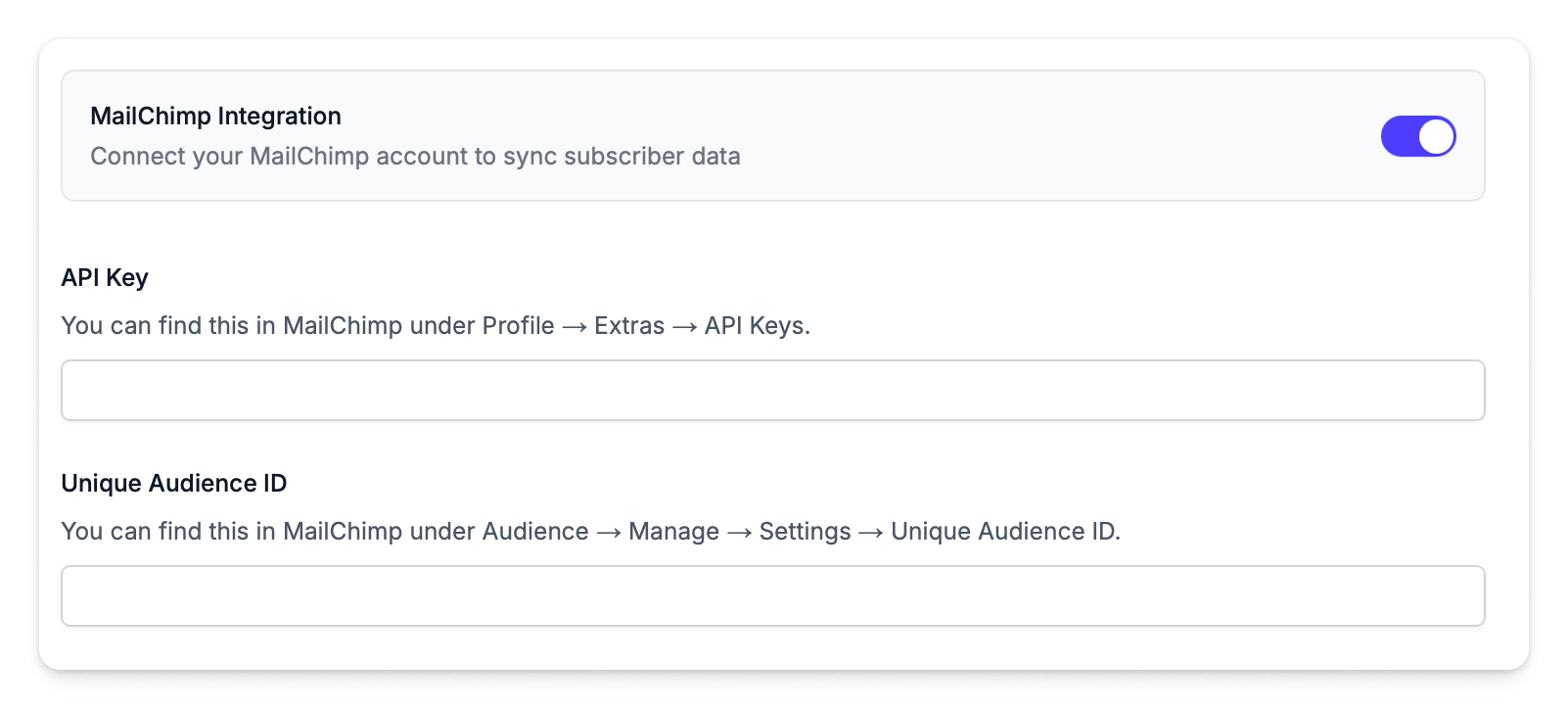
Connection Details
The Mailchimp integration requires two credentials. These are usually provided during onboarding, but you can update them at any time.
Finding Your API Key
- Log in to Mailchimp
- Navigate to Account & billing → Extras → API keys
- If you already have a key, copy it. Otherwise click Create A Key
- Copy the full API key (it looks like
abc123def456-us5)
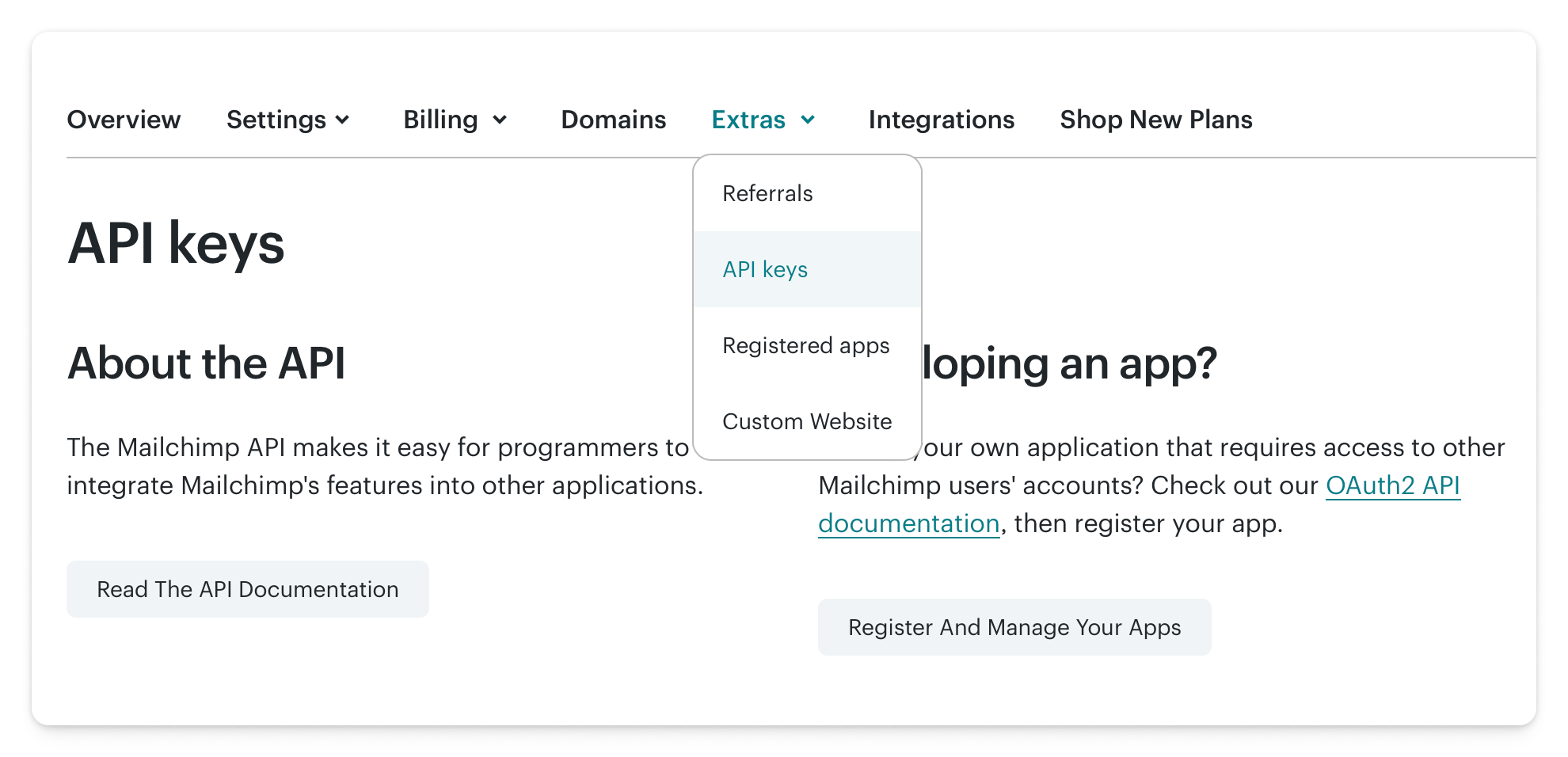
The suffix after the dash (e.g., -us5) indicates your Mailchimp data centre. The integration uses this to connect to the correct server automatically.
Finding Your Audience ID
- In Mailchimp, go to Audience
- Use the dropdown to navigate to your contact list
- Click the three dots menu → Audience settings
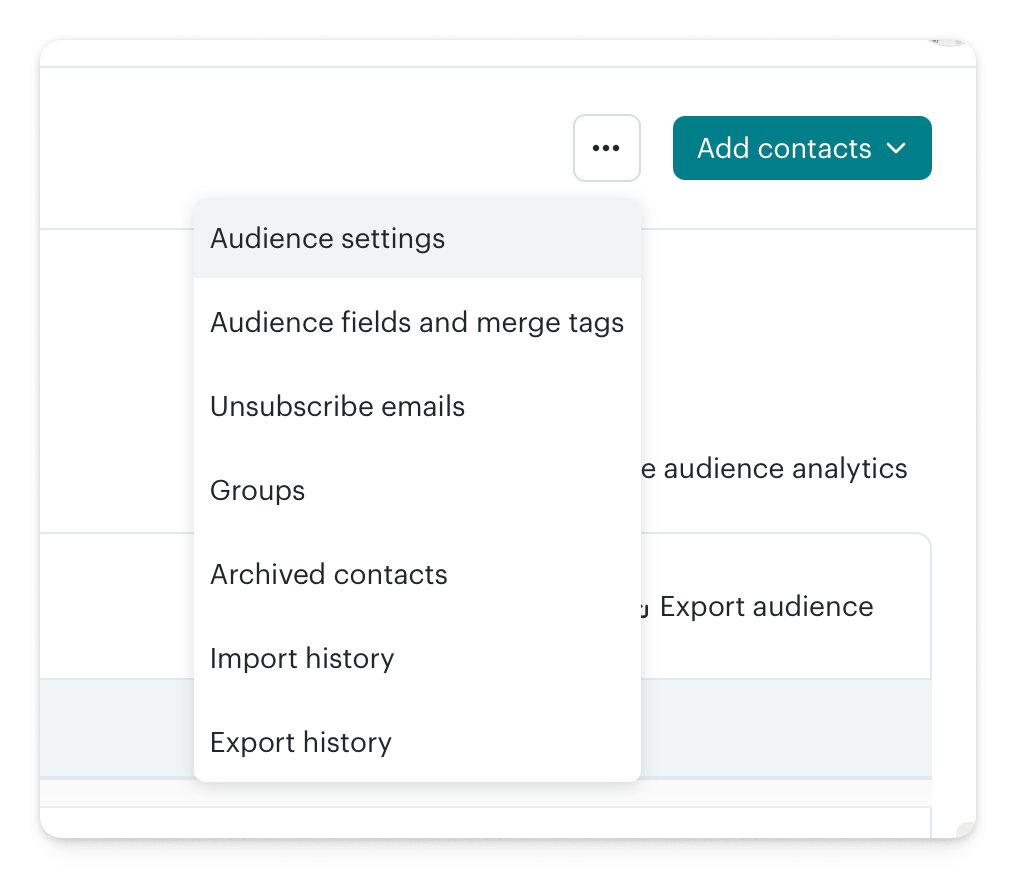
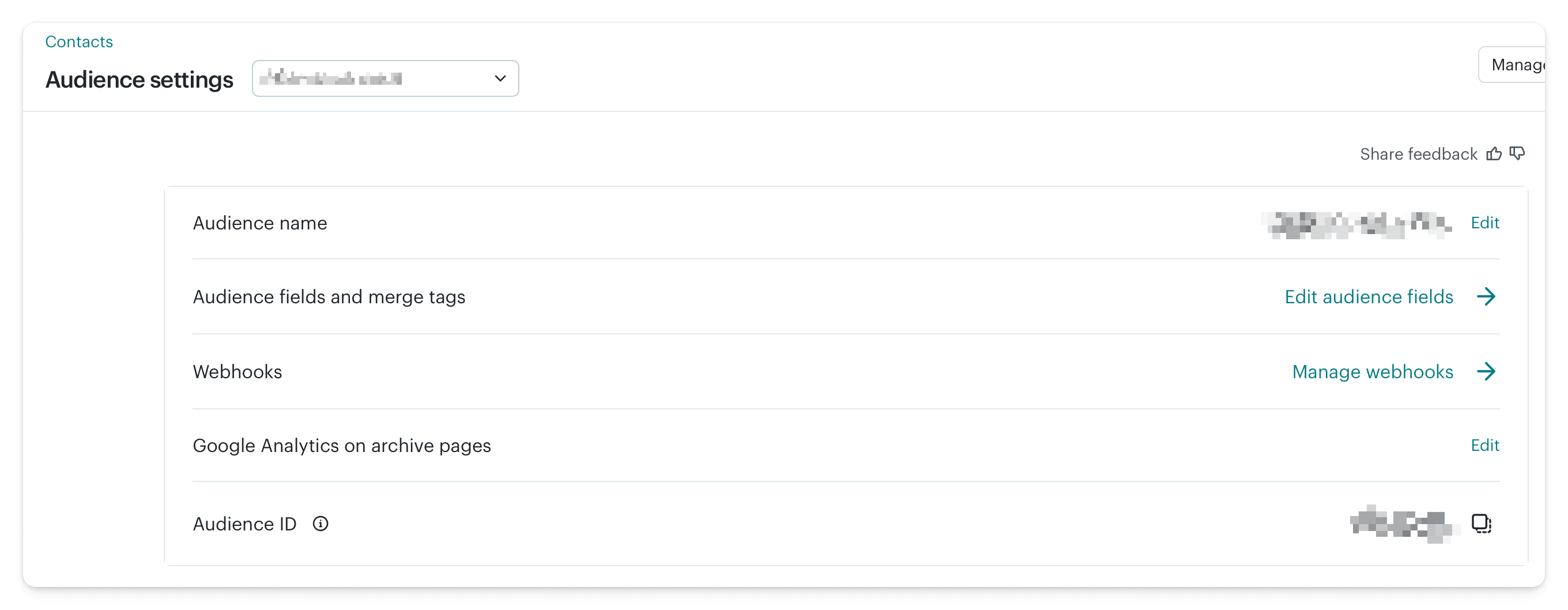
- Find your Audience ID on the settings page
Connecting
- In Quarterback, navigate to Settings → Integrations
- Toggle Mailchimp on
- Paste your API Key and Audience ID
- Click Save Changes
What Gets Tracked
Once connected, Quarterback imports campaign data automatically:
| Metric | Description |
|---|---|
| Campaign sends | Total emails sent per campaign |
| Delivery stats | Bounce rate and delivery success |
| Open rate | Percentage of recipients who opened |
| Click rate | Percentage of recipients who clicked a link |
| Subscriber engagement | Overall engagement patterns |
| Campaign timing | When campaigns were sent |
Mailchimp metrics appear in:
- Dashboard — Audience section and stats bar
- Activities — Email campaigns show as activities with engagement details
- Reports — Campaign performance in board and monthly reports
Disconnecting
Toggle Mailchimp off in Settings → Integrations to disconnect. Your API key and Audience ID are cleared from the database. Historical campaign data already imported into Quarterback is retained.