Market Settings
The benchmark reflects how investors think about the company — it drives abnormal return calculations, correlation analysis, and the Stock vs Benchmark chart on the dashboard. These settings are configured during onboarding.
Settings → Market
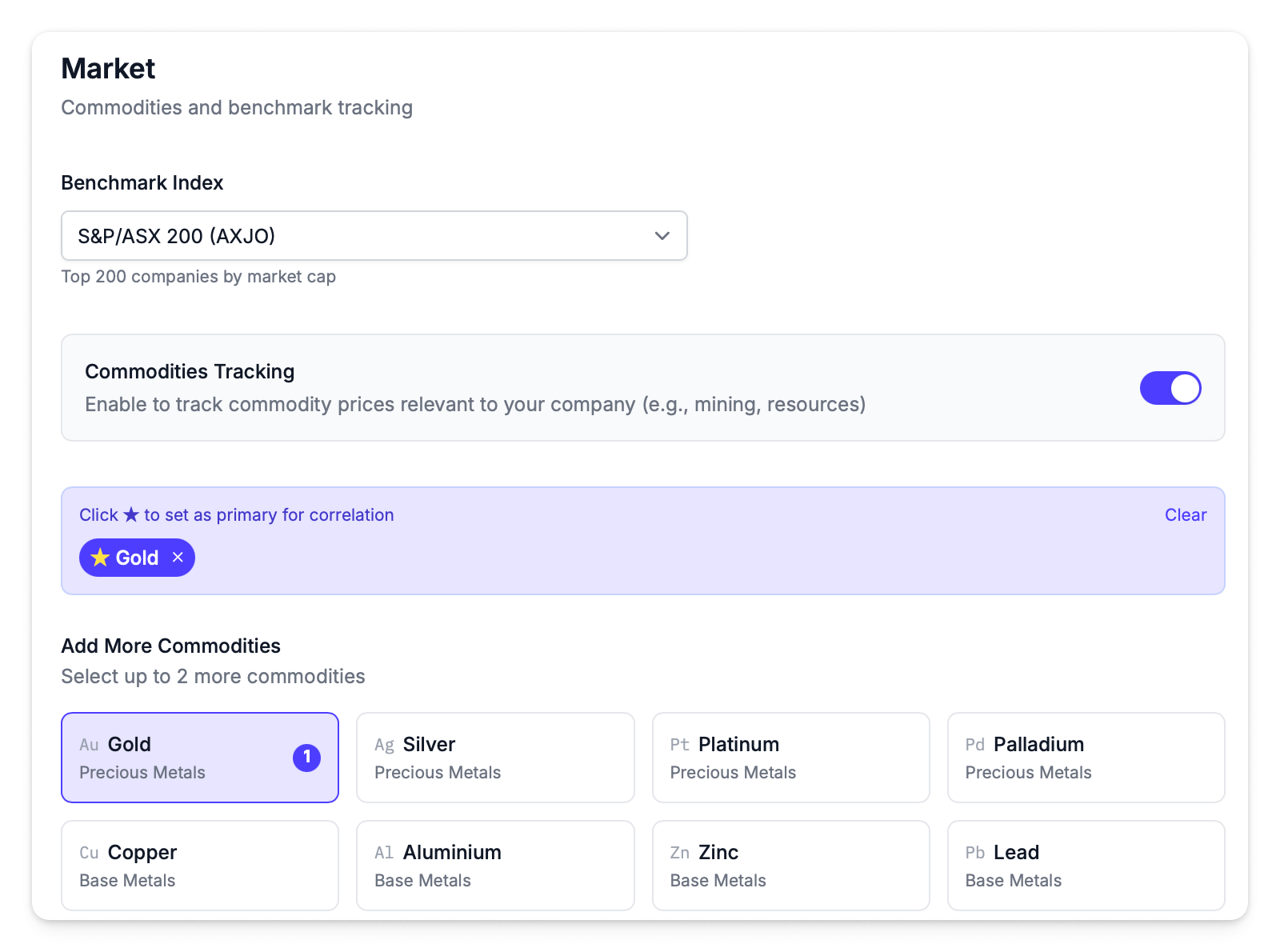
Benchmark Index
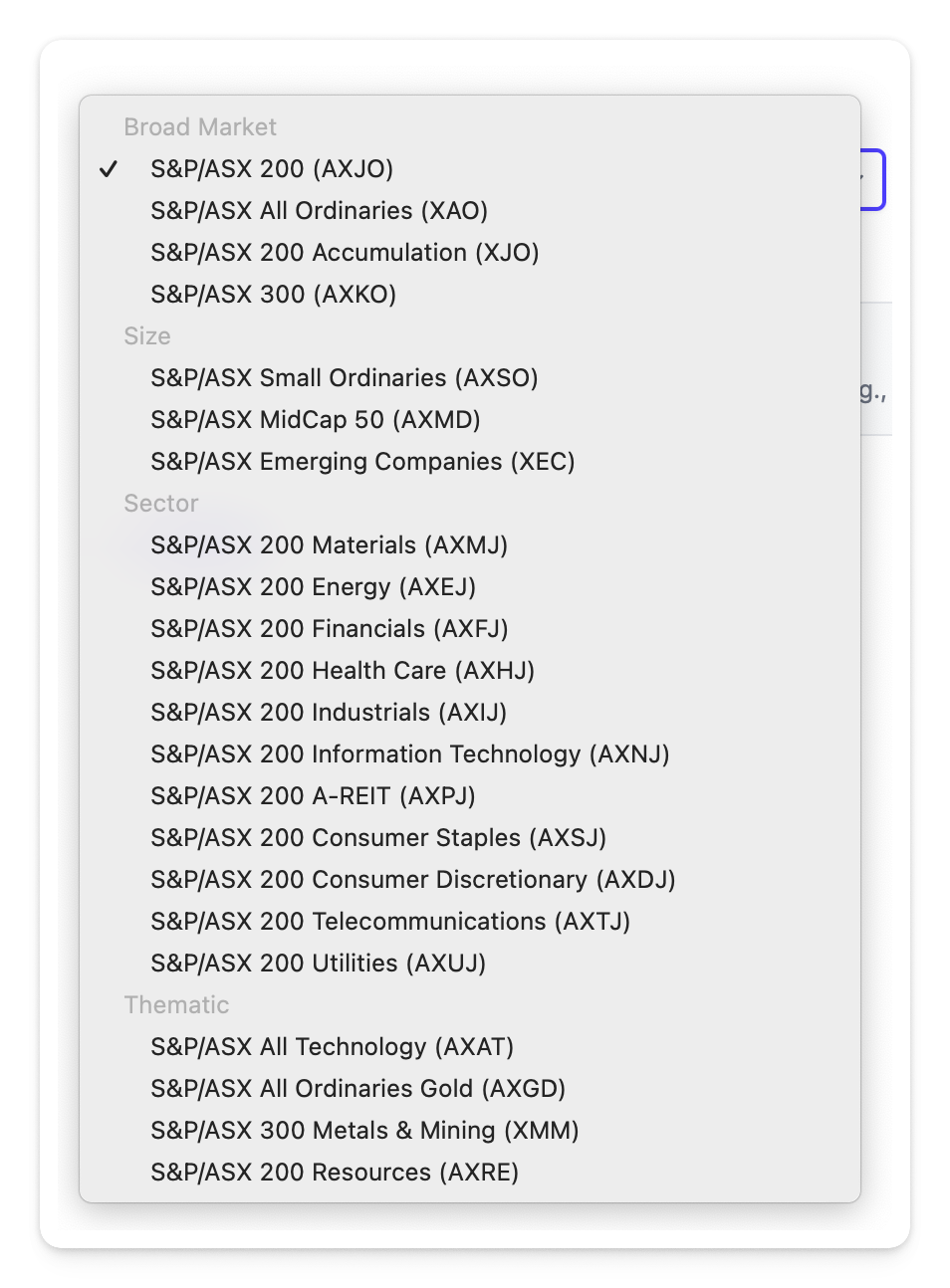
The benchmark index is chosen based on sector and investor context:
| Approach | When It's Used | Examples |
|---|---|---|
| Broad market | Good default for most companies | ASX 200, All Ordinaries |
| Sector-specific | Better comparison for sector-focused analysis | Materials (AXMJ), Energy (AXEJ), Financials (AXFJ) |
| Thematic | For specialised resource or tech companies | Gold Mining (AXGD), All Technology (AXAT) |
The benchmark appears in the Stock vs Benchmark chart and factors into abnormal return calculations. See Available Benchmarks for the complete list.
Commodities
Commodity tracking is enabled for resource-focused companies. Up to 3 commodities can be tracked, with one marked as primary (★).
The primary commodity is used as the default in correlation analysis. Selected commodities show numbered badges (1, 2, 3) indicating their priority order, with the primary highlighted in purple.
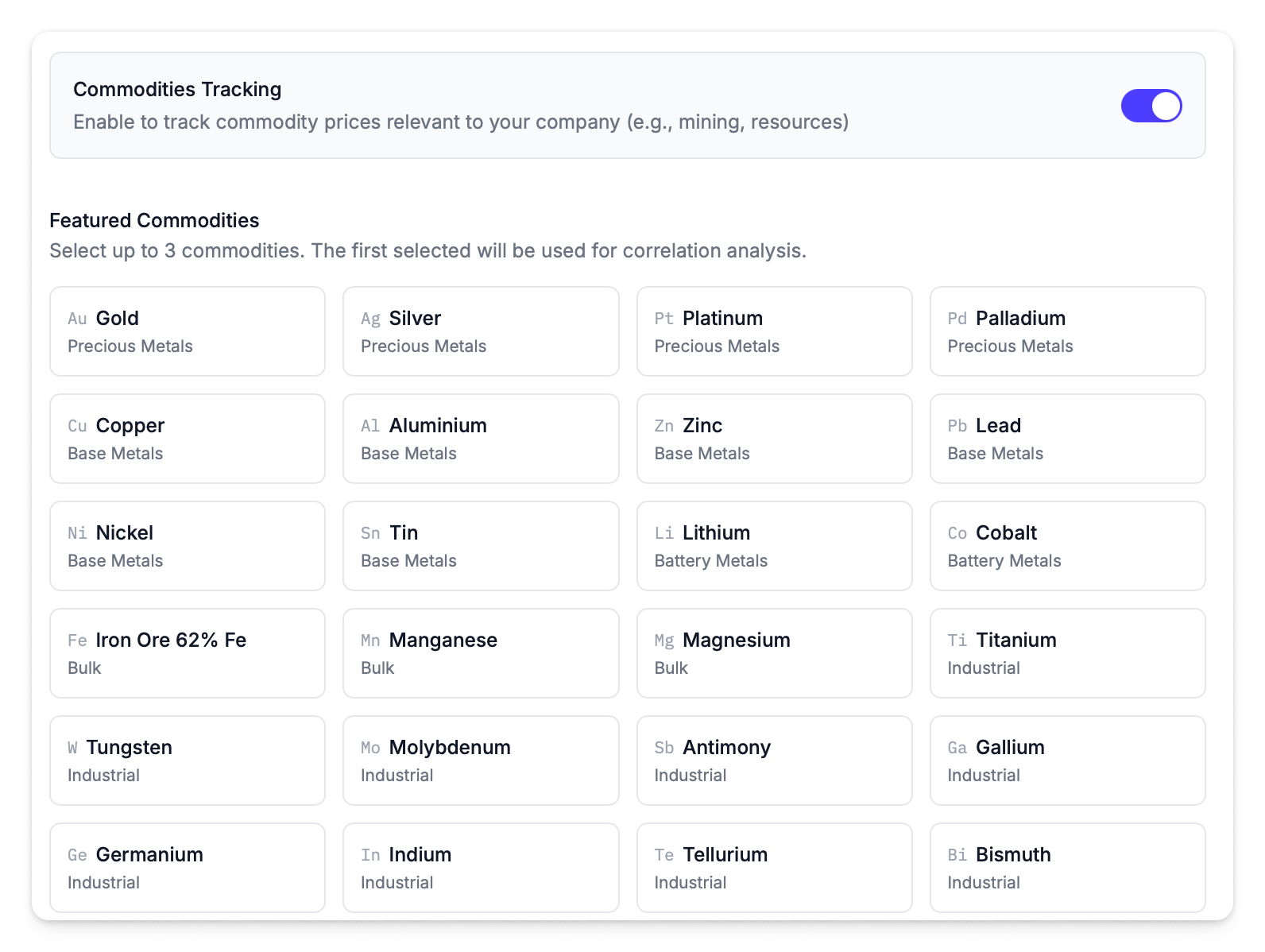
For example, a gold miner would have Gold as priority 1. A battery materials producer might have Lithium or Cobalt.
When commodities are enabled and a primary commodity is set, it takes priority over the index for benchmark calculations. See Benchmark Priority for how this works.