Insights
AI-generated analysis that helps you make sense of what's happening — surfacing trends, patterns, and context you might otherwise miss.
Where Insights Appear
Insights are woven throughout the platform, appearing wherever context adds value.
Dashboard Sidebar
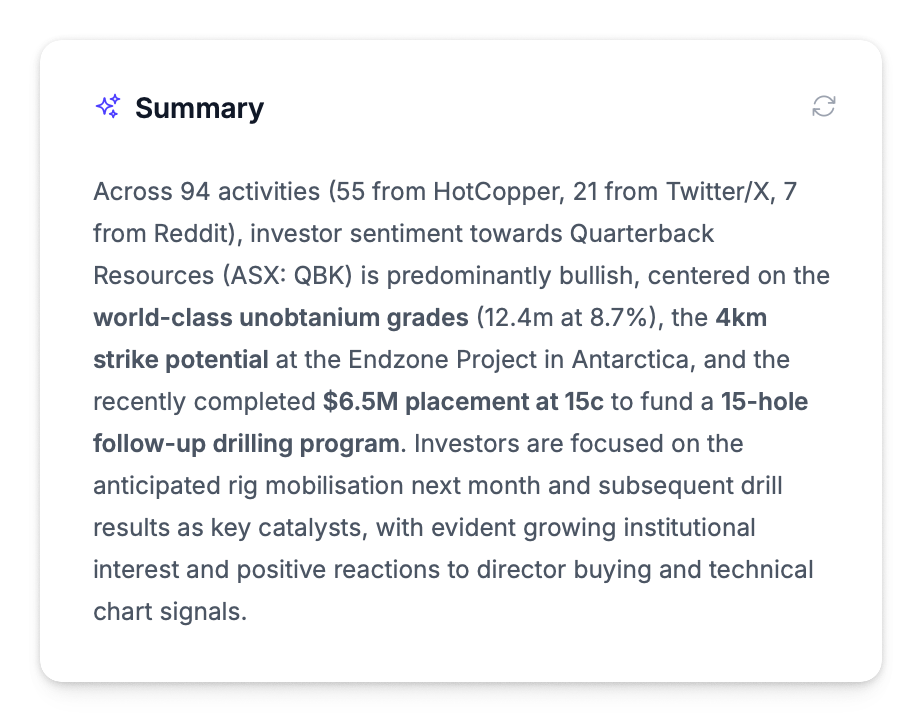
The AI Summary in the Dashboard sidebar analyses your selected period and generates a written summary covering:
- Activity patterns and volume trends
- Sentiment shifts and drivers
- Notable events and their market impact
- Key topics and themes from community discussion
Click any bold term in the summary to search for related activities.
Announcement Panel
When you open an announcement detail panel, an AI summary provides market reaction analysis:
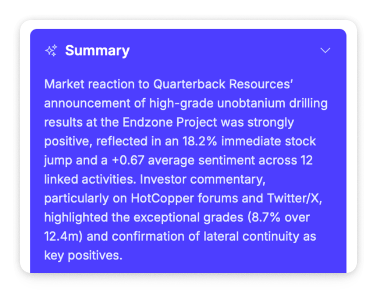
- Trading context (volume vs 20-day average, price movement relative to expectations)
- Sentiment summary from linked activities
- Key themes identified in discussion
People Panel
When you open an author detail panel on the People page, an AI insights section generates a two-part analysis:
- Activity & sentiment analysis — characterises the author, identifies sentiment patterns, and flags correlations with company events
- Demographic profile — assesses communication style, investor profile, and experience level
Requires a minimum of 3 activities from the author. See People — AI Insights for details.
Reports
AI-generated overview sections are included in:
- Board Reports — Executive Summary section with AI-generated analysis and key metrics
- Monthly Reports — Overview section with AI-generated period summary
How Insights Work
Insights are generated using large language models trained to understand investor relations context. The system analyses:
| Input | What It Considers |
|---|---|
| Activity content | Text, sentiment, source, author |
| Market data | Share price, volume, timing |
| Historical patterns | Previous activity levels and sentiment trends |
| Benchmark performance | Commodity and index movements relevant to your market settings |
Insights reference your configured benchmark and commodity movements when relevant. A gold miner's insights will naturally reference gold price, while a tech company's will focus on index performance.