Media Monitoring
Know when your company is in the news, who's writing about you, and whether the coverage is earned or paid.
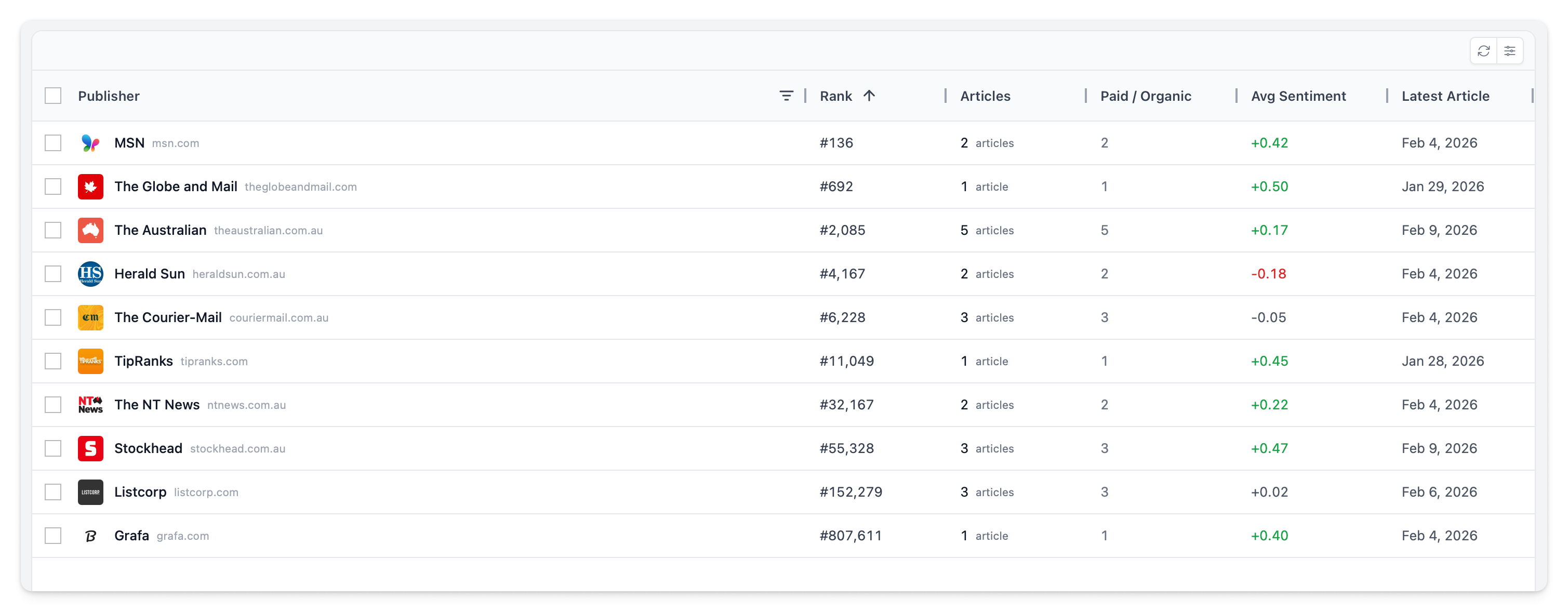
Publisher View
The media page aggregates articles by publisher, giving you a high-level view of your news coverage landscape.
| Column | Description |
|---|---|
| Publisher | Name and logo |
| Rank | Global news rank from Newscatcher — lower numbers indicate more influential publications |
| Articles | Article count for the selected period |
| Paid / Organic | Breakdown of sponsored vs earned coverage |
| Sentiment | Average sentiment across articles from this publisher |
| Latest | Most recent article date |
Publisher Rankings
Newscatcher integration provides global publisher rankings. These help you prioritise which coverage matters most — an article in a top-100 publication carries more weight than a niche blog.
Publishers are sorted by rank ascending by default, showing the most influential publications first.
Rankings are provided by Newscatcher and updated regularly. They reflect global web traffic and editorial influence, not industry-specific relevance.
Paid vs Organic Tracking
Articles are tagged to distinguish earned media from paid distribution:
| Type | Meaning |
|---|---|
| Organic | Natural editorial coverage — a journalist chose to write about you |
| Paid | Sponsored placements, advertorials, or paid distribution |
The breakdown appears in both the grid and detail panels, making it easy to see the balance of your media coverage.
Article Details
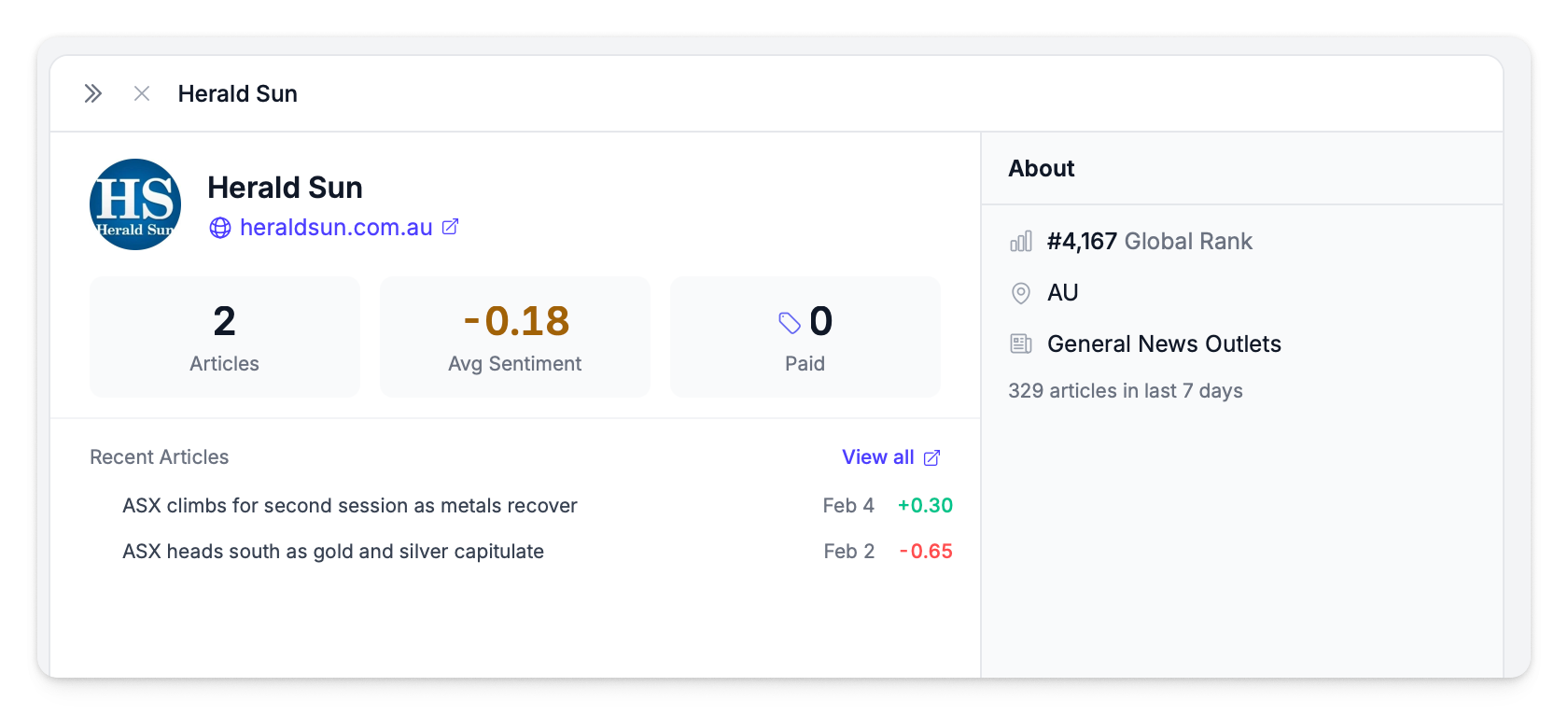
Click a publisher to open the split panel detail view showing all their articles and price impact analysis. Click an individual article for full details.

The detail panel shows:
- Highlighted mention — the section of the article where your company is mentioned is shown first, with the relevant passage highlighted
- Article title and publication date
- Sentiment score for the article
- Link to original source
- Author information (if available)
To read the full article, click the expand icon to open the expanded view. This shows the complete article text rather than just the highlighted mention.
Filtering & Export
The sidebar panel provides filters for narrowing your view:
| Filter | Options |
|---|---|
| Country | Filter publishers by country of origin |
| Paid Articles | Show all, paid only, or organic only |
Additional controls:
- Column visibility — toggle which columns are displayed
- Column reordering — drag columns to rearrange
- Reset Layout — restore default grid state
- Multi-select — select publishers with checkboxes for bulk actions
Export publisher data to CSV using the Export button in the toolbar. You can export all publishers or only selected ones.